prompt checker guide

The Complete AI Prompt Checker Guide: How to Write Prompts That Actually Work (2026)

If you’ve ever gotten a vague, generic, or “not quite right” answer from ChatGPT, Claude, or Gemini, the problem usually isn’t the model — it’s the prompt. This prompt checker guide walks through exactly what to look for before you hit send, so you don’t need to be a prompt engineering expert to get better results — just know what to check. A vague or poorly structured prompt forces the AI to guess your intent, and guessing leads to generic responses, missed details, and sometimes outright hallucinations. You can also try our Prompt Generator if you want help building stronger prompts from scratch.

Most people assume that better AI models automatically produce better answers. In reality, a well-checked prompt does something no model upgrade can: it removes ambiguity, gives the AI clear boundaries, and tells it exactly what “done” looks like. This prompt checker guide brings together the full picture — the core checklist for what makes a prompt good, the mistakes that creep in even after you know the basics, why weak prompts are one of the biggest hidden causes of AI hallucinations, and how to catch all of this quickly using a prompt checker instead of relying on manual review alone. Think of this prompt checker guide as a reusable reference you can come back to before every important prompt.
prompt checker guide

7 Signs Your Prompt Needs Work (Straight From This Prompt Checker Guide)

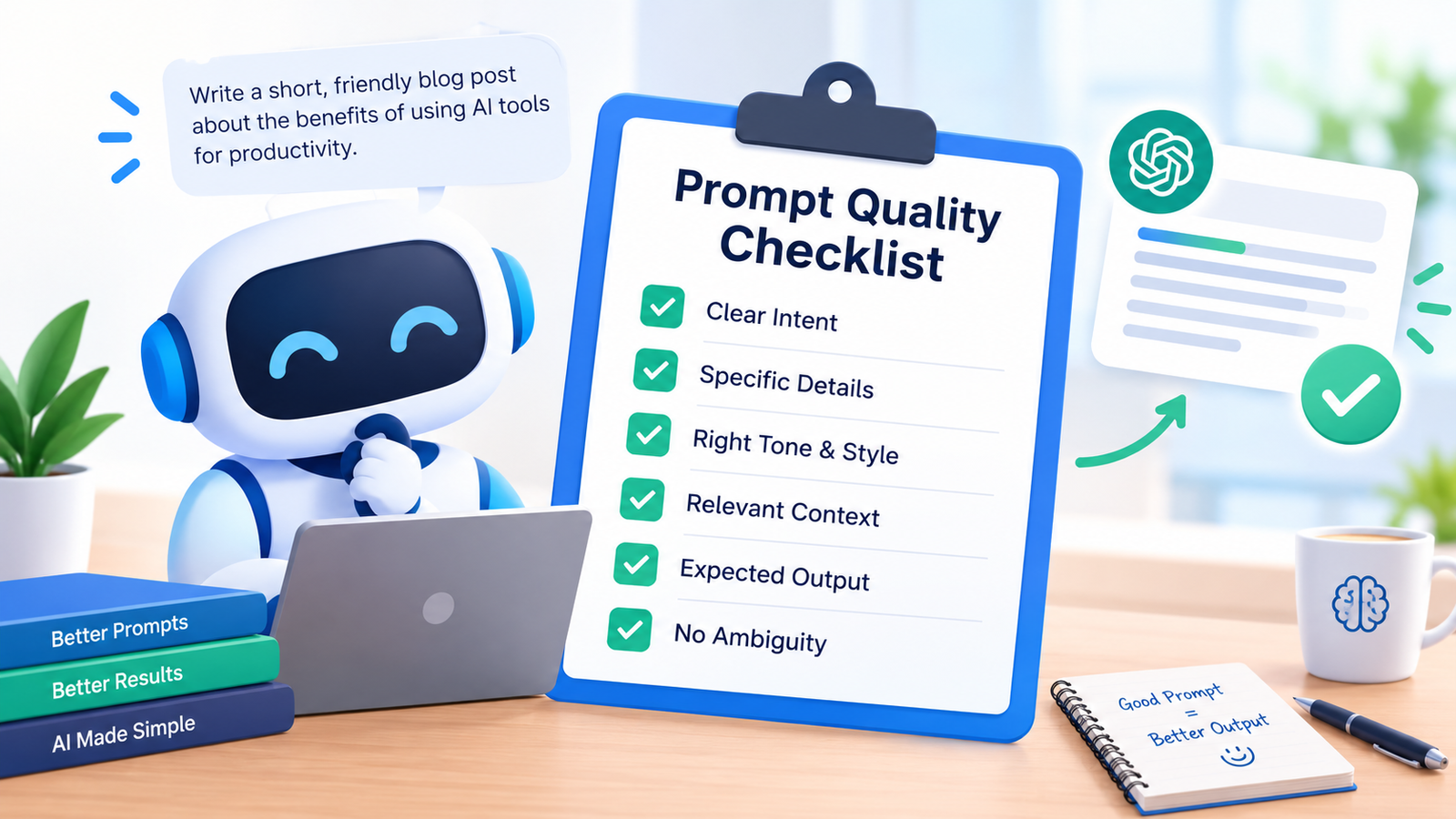
Before you generate a response, run your prompt through these seven checks.ll

  • Is your goal actually stated? “Write about marketing” isn’t a goal — it’s a topic. A real goal says what you want the output to do: inform, persuade, compare, summarize, or teach. Without that verb, the AI has to guess what kind of response you’re actually after.
  • Is there missing context? The AI doesn’t know your audience, industry, or constraints unless you say so. Missing context is one of the most common reasons AI responses come back feeling generic and disconnected from what you actually needed.
  • Are there vague or ambiguous words? Words like “better,” “good,” “professional,” or “detailed” feel specific but mean almost nothing to a model without examples or concrete definitions attached to them.
  • Did you specify a format? If you need bullet points, a table, a numbered list, or a specific word count, say so directly. Otherwise, the AI will choose a format on its own — and it often won’t be the one you wanted.
  • Did you set a tone? Professional, casual, technical, persuasive — tone changes everything about how a response reads and lands with its audience. Leaving it out means the model defaults to something generic and forgettable.
  • Are there unstated assumptions? If your prompt assumes the AI already knows your product, your brand voice, or the context of a prior conversation, but you haven’t actually included that information in the prompt itself, the response is going to miss the mark.
  • Is the prompt overloaded? Cramming several different tasks into a single prompt — “write this, then analyze that, then summarize this other thing” — often produces a shallow attempt at all of them instead of a strong result on any one of them.

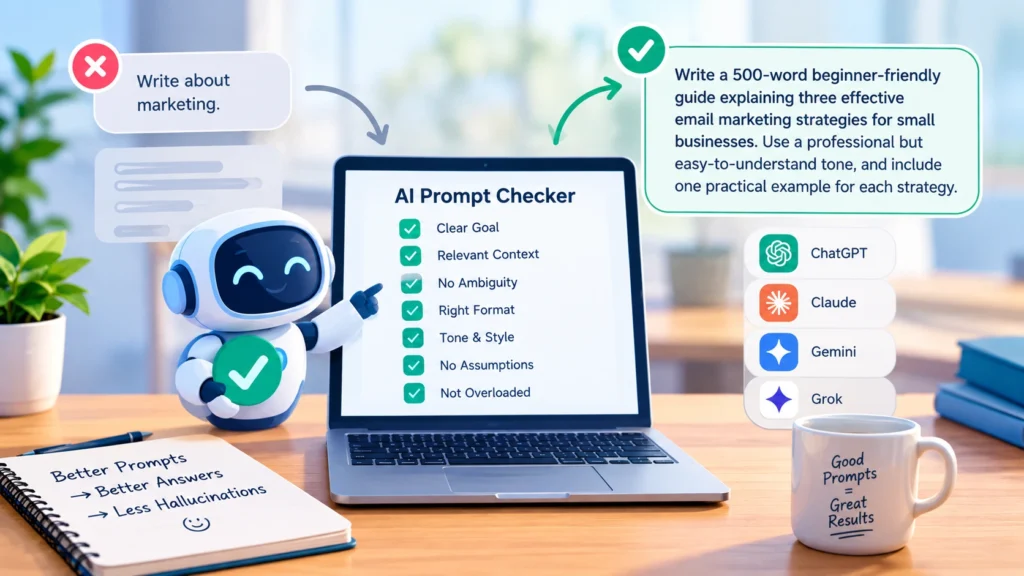
Here’s the difference in action. A weak prompt: “Write about email marketing.” A strong prompt: “Write a 500-word beginner-friendly guide explaining three effective email marketing strategies for small businesses. Use a professional but easy-to-understand tone, and include one practical example for each strategy.” The strong version leaves almost nothing for the AI to guess — which is exactly what a solid prompt checker guide should train you to spot.

Before sending any prompt, run a quick self-test: Could two different people interpret this prompt in two different ways? Have you told the AI who the response is for and what format you want? Are you using an adjective like “good,” “better,” or “professional” without explaining what it means in this context? A “yes” to any of these means your prompt likely needs more detail before you send it.

5 Prompt Mistakes Even Experienced Users Still Make

This part of the prompt checker guide looks at a different problem — not vagueness, but habits that quietly undercut otherwise well-written prompts once you’ve already learned the basics.

  • Reusing the same prompt template for every task. A structure that worked well for one kind of request doesn’t automatically fit another. Using the same tone, format, and length instructions for a technical explainer and a creative brief often produces a response that’s technically correct but oddly mismatched. Fix: adjust the template to the task, not just the topic.
  • Forgetting to update context in follow-up prompts. In a long conversation, it’s easy to assume the AI remembers details you mentioned several messages ago, especially after the topic has shifted. Fix: briefly restate key details in follow-ups rather than assuming they’ve carried forward.
  • Treating the first response as final. Many users accept the first output instead of refining it, even when it’s only partially right. A single round often isn’t enough for anything complex. Fix: treat the first response as a draft and iterate — “keep the structure, but make the tone more conversational.”
  • Over-specifying length at the expense of quality. Rigid word counts (“exactly 300 words”) can push the model to pad or cut content artificially just to hit the number, instead of prioritizing what the answer actually needs. Fix: give a range instead of an exact figure — “around 250–350 words.”
  • Not telling the model what not to change. When editing existing text, failing to specify what should stay the same often results in the AI rewriting far more than intended. Fix: be explicit — “only fix the grammar in paragraph two, leave everything else untouched.”
  • Quick self-test: Are you reusing a prompt structure that doesn’t fit this specific task? Have you dropped context partway through a conversation? Are you accepting the first draft instead of refining it? Running through this short list is itself a mini prompt checker guide you can apply in seconds.

Why Vague Prompts Cause Hallucinations (And How a Prompt Checker Guide Helps)

If there’s one lesson this prompt checker guide keeps coming back to, it’s this: a hallucination is when an AI generates something confident-sounding but factually wrong or fabricated, and it’s often the model filling gaps your prompt left open.

  • Ambiguous instructions — the model picks an interpretation and runs with it, inventing details to match.
  • Missing context — the model may generate plausible-sounding context rather than admit it doesn’t have enough information.
  • Asking for more than the model knows — obscure facts requested without acknowledging uncertainty invite fabrication.
  • Overloaded, multi-part prompts — the model loses track of constraints and improvises.
  • No instruction to flag uncertainty — most prompts never ask the model to say “I’m not sure.”

To reduce hallucinations: be specific about scope, ask the model to flag uncertainty, break large requests into smaller ones, paste in source material directly, and avoid vague phrasing anywhere accuracy matters. Following this prompt checker guide step by step catches most of these issues before you ever hit send.

Weak structure is one of the biggest hidden causes of hallucination-prone prompts. A prompt without clear boundaries — no defined scope, no stated goal, no format — gives the model too much freedom to fill gaps with invented details rather than honest uncertainty.

Prompt Checker Guide: Manual Review vs. Automated Checking

Once you know what makes a prompt good, you have two ways to check your own prompts before sending them: review them yourself, or run them through a prompt checker tool. Both work, but they catch different things, and one is a lot faster.

Prompt checker

Manual review

  • Gives you an instant, objective quality score in seconds, without walking through a mental checklist
  • Applies the same evaluation criteria every time — ambiguity, structure, missing details — regardless of how tired or rushed you are
  • Gives specific, actionable feedback instead of a vague sense that “something feels off”
  • You understand your own intent, so you can judge whether the prompt actually reflects your real goal
  • You catch context-specific issues — brand voice, a specific project, or internal terminology that only you’d recognize as unclear
  • The more you manually review your prompts, the better you get at writing strong ones from the start

The best approach combines both. Write your prompt with your goal, audience, and format in mind. Run it through a prompt checker for an instant, objective quality score and specific flags. Apply the fixes that make sense, using your own knowledge of the context. Then do a final quick read-through to confirm the prompt still reflects what you actually need. This gives you the speed and consistency of automated checking, combined with the context-awareness only you have.

You don’t need to memorize a seven-point checklist every time you write a prompt. Our free prompt checker runs these exact checks automatically — flagging ambiguity, missing context, and weak structure — and hands you an instant quality score plus clear, actionable tips on what to fix, before you submit anything to ChatGPT, Claude, Gemini, or any other model. No sign-up, no cost — just paste your prompt in and see exactly what needs work before it costs you a wasted response.

Frequently Asked Questions

A good prompt clearly states the goal, gives relevant context, defines the tone and format, and avoids vague or ambiguous language. The clearer the instructions, the more accurate and useful the response.

Yes. Most low-quality AI responses trace back to unclear prompts rather than model limitations. A prompt checker catches issues like missing context or vague wording before you waste a generation on a weak result.

The core principles — clarity, context, structure — apply across ChatGPT, Claude, Gemini, and others. Some models (like Claude) respond especially well to structured, step-by-step instructions, while others are more forgiving of casual phrasing.

Not always. Quick factual questions don’t need much structure. Prompt checking matters most for complex tasks — content creation, coding, analysis, or anything where the output needs to match specific requirements.

Start Using This Prompt Checker Guide Today

You don’t need to memorize a seven-point checklist every time you write a prompt. This prompt checker guide boils down to one habit: check before you send. Our free prompt checker runs these exact checks automatically — flagging ambiguity, missing context, and weak structure — and hands you an instant quality score plus clear tips on what to fix. Bookmark this prompt checker guide and run through it before any prompt that really matters. No sign-up, no cost — just paste your prompt in and see what needs work before it costs you a wasted response.
Similar Posts